
Uploading documents that get approved first time
5 min readFor Drivers
Almost every delayed application comes down to one thing: a photo that is hard to read. Follow these rules and your documents will pass review the first time.
Driving licence — front and back
- Photograph the actual licence card, front side for the "front" upload and rear side for the "back" upload. A common mistake is uploading the front twice — the back is required too.
- Lay the card flat in good light. Avoid glare, shadows and blur — every word and date on the card must be readable.
- Fill the frame with the card, the right way up, with no fingers covering any text.
- Upload a photo of the licence itself — not a CV, certificate or any other paperwork.
- Your licence must be valid (not expired). If your card has expired, renew it first or your application will need manual review.
Profile photo
- A clear photo of you — your face visible, like a friendly ID photo. A selfie is fine.
- Not a logo, a picture of your bakkie, or a blank image — those cannot be verified.
Vehicle documents
Your vehicle is reviewed separately from you as a driver, and it needs its own documents before it can be used for trips.
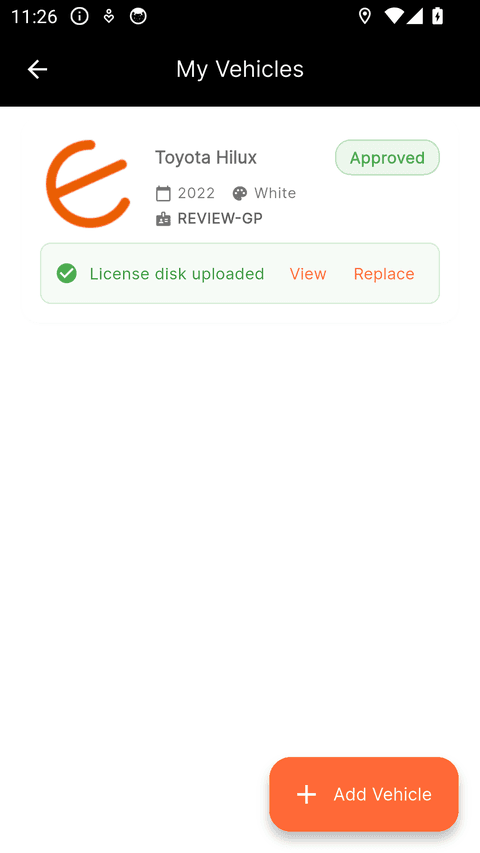
- Licence disc: photograph the disc on your windscreen up close and straight on, in daylight. Every printed line should be readable — the registration, the make, and the expiry date.
- The registration you type into the app must match the "Licence no." printed on the disc. That is the number plate as registered; the separate "Veh. register no." on the disc is a different number.
- Check that your disc is still current — an expired disc cannot be approved.
- Vehicle photo: a clear photo of the actual vehicle, taken outside in good light, showing the whole vehicle. It should match the make, model and colour on your vehicle profile — not a stock photo or an advert screenshot.
Still need help? Contact us.