
How to book a bakkie or truck
4 min readFor Customers
Booking takes about a minute. On the website go to Book (or tap Get a Quote), or open the app and start from the home screen.
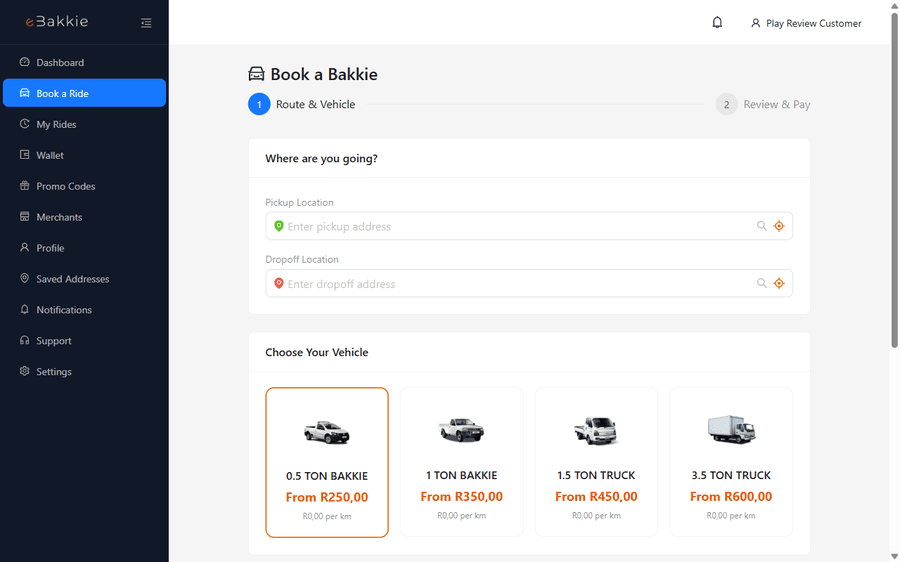
Step by step
- Enter your pickup address and drop-off address. You can fine-tune the pin on the map.
- Choose a vehicle class. Pick the smallest vehicle that fits your load — a Mini Bakkie is perfect for small furniture and boxes; choose a Mini Truck or Large Truck for full moves.
- Check your upfront fare estimate.
- Choose how you want to pay (cash on delivery or online payment).
- Confirm the booking. Nearby drivers are offered your trip — as soon as one accepts you will see their name, vehicle and live location.
While you wait
Drivers get a few minutes to respond, and if nobody nearby is available we widen the search area automatically. If no driver accepts, nothing is charged — you can try again a bit later or try a different vehicle class.
Still need help? Contact us.